Goosh
 Jovanus Hartono
On this page
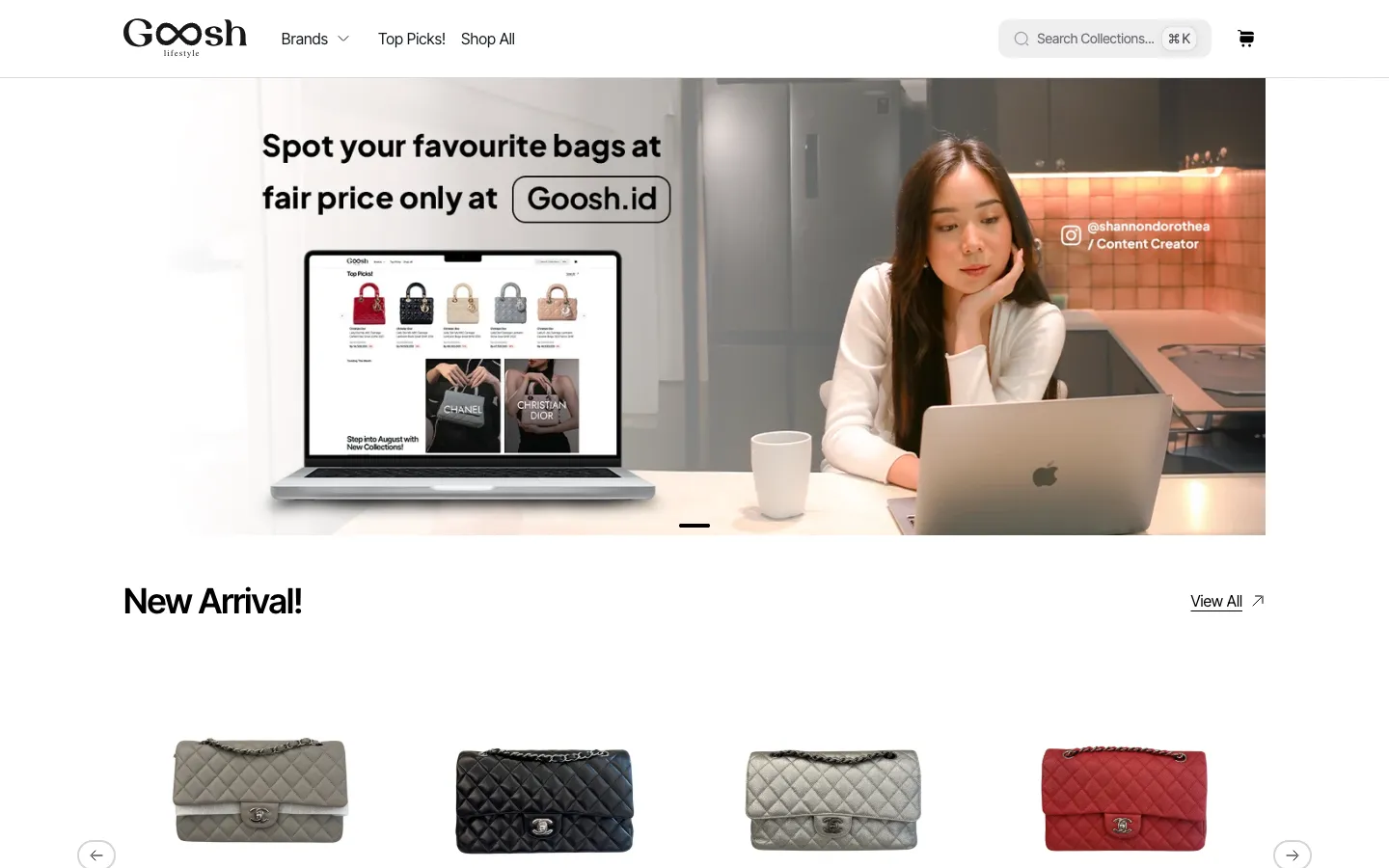
Goosh is a luxury fashion store, and everything on its site comes from Shopify. Products, collections and menus are all edited in the Shopify admin, along with the home page carousel, the featured collections and the FAQ. Checkout is Shopify's too.
My part was the storefront in between: a Next.js site that shows whatever Shopify says, and doesn't go stale the moment a price changes. I built it on Next.js 14, and I still look after it.
I didn't start from a blank page. The cache tags, the variant check and the cart handling follow Vercel's Next.js Commerce template.
What Shopify already does
The site reads Shopify's Storefront API over A way of asking an API for exactly the fields a page needs, all in one request., through Apollo Client. GraphQL Codegen generates TypeScript types from Shopify's live schema on every build, so if Shopify changes a field, the build tells me before a shopper would. That's happened once so far, when the schema grew a new field on product options. The fix was four one-line type changes.
There are two Apollo clients. The server one is created per request for React components that run on the server and send finished HTML to the browser., and the browser one exists for the parts of the page that keep loading more.
How the site hears about changes
Caching is what makes a storefront like this quick. It also creates an obvious problem. If the product page is cached, what happens when the price changes in Shopify?
The answer is tags. Product pages, recommendations, collection pages and filter panels are stored in Next's data cache under a tag, products or collections:
const product = await shopifyFetch({
  query: getProductQuery,
  variables: { handle },
  tags: ["products"],
});
When someone saves a change, Shopify sends a An automatic message one service sends to another the moment something happens, like a product being saved. to a route handler on the site. The webhook's topic says what kind of thing changed, and the handler clears the matching tag with revalidateTag:
export async function POST(req: NextRequest) {
  const topic = req.headers.get("x-shopify-topic"); // e.g. "products/update"

  if (topic?.startsWith("products/")) revalidateTag("products");
  if (topic?.startsWith("collections/")) revalidateTag("collections");

  return NextResponse.json({ status: 200 });
}
The next shopper to open that page gets fresh data. Shopify's docs explain how webhooks are sent.
The parts that change less often, like the menus, the FAQ and the home page with its featured products, don't listen for webhooks at all. They refresh on a one-hour timer.
The filter counts that lied
Collection pages have filters with a count next to every value, like "Black (12)", plus a price slider.
The URL is the only place filter state lives. Ticking a box replaces the URL without scrolling, so a filtered page is always a link you can share. The server renders the filter panel with its counts, and the slider's range comes back in the same request. The query asks for the collection twice, under two GraphQL aliases, once sorted cheapest first and once most expensive first, and the first product of each gives the slider its two ends:
query PriceRange($handle: String!) {
  cheapest: collection(handle: $handle) {
    products(first: 1, sortKey: PRICE) { ... }
  }
  priciest: collection(handle: $handle) {
    products(first: 1, sortKey: PRICE, reverse: true) { ... }
  }
}The product grid is a client component on Apollo. The first 24 products arrive with the page. Each "Show more" fetches the next 24 in the browser, and Apollo's relay-style pagination merges them into the list already on screen.
Putting Apollo in the browser brought a bug with it, in the filter counts.
Apollo keeps a A cache that stores each object once, under an id, and points every response that includes it at that one copy.. Think of it as a coat check: everything that comes back from the API gets a ticket, and by default the ticket is the object's id. The trouble is that a filter value, like one particular size, has the same id under every selection, and a different count under each. Two different answers, one ticket. Whichever response came back last took the hook, so a count from one selection could show up under another.
The fix was to put the count in the ticket. Apollo lets you choose what a type's cache id is made of, with keyFields:
new InMemoryCache({
  typePolicies: {
    FilterValue: {
      keyFields: ["id", "count"], // same size, different count, different ticket
    },
  },
});
Sizes, colours and limited stock
A product's options come from its Shopify One buyable version of a product, like a shirt in size M and black.. The page checks every combination and greys out the ones nobody can buy. The selected size and colour live in the URL, as in ?size=M&color=Black. If the URL doesn't pick one yet, the page treats the first variant that's for sale as selected.
On products with sizes or colours to choose, a "Limited stock" label shows up once the selected variant has fewer than 5 left. In the cart, the plus button stops at whatever quantity Shopify says is available.
Cart and checkout
The cart lives in Shopify, and the site only keeps its id in a cookie. Adding, removing and changing quantities are Server Actions, functions that run on the server but can be called straight from a button, and each one calls Shopify's Cart API and then clears the cart tag. When the shopper is ready, they go to Shopify's own checkout.
There's one small trap here. After a purchase, Shopify stops returning the old cart, so the next "Add to cart" has nothing to add to. The site notices the missing cart, creates a new one and replaces the cookie:
let cart = cartId ? await getCart(cartId) : undefined;

if (!cart) {
  cart = await createCart();
  cookies().set("cartId", cart.id);
}
Images Shopify already resizes
Next's image optimizer is off for this site (images.unoptimized in the config). Shopify's CDN already resizes and optimizes images on request, so sending them through Next Image as well would only have added Vercel image costs for work Shopify was already doing.
The site makes the most of that CDN instead. The product gallery and the home carousel build a srcset from Shopify's width URL parameter, at five widths from 375 to 1440 pixels, so a phone downloads a phone-sized photo. Each carousel slide also has its own mobile and desktop image, set in the carousel's A custom content type in Shopify, here the list of slides for the home page carousel. and served through a <picture> element, which lets the browser pick a different image for each screen size.
The Edge runtime detour
The webhook route was the first thing on the Edge runtime, a lighter runtime for server code that doesn't have all of Node. I went back and forth on Edge a few times, and once moved the whole app onto it before reverting. It kept causing errors. The last Edge route is gone too, and everything runs on Node.