La Élume Beauté · Chapter 3 of 7
The cart that follows you
 Jovanus Hartono2026
On this page
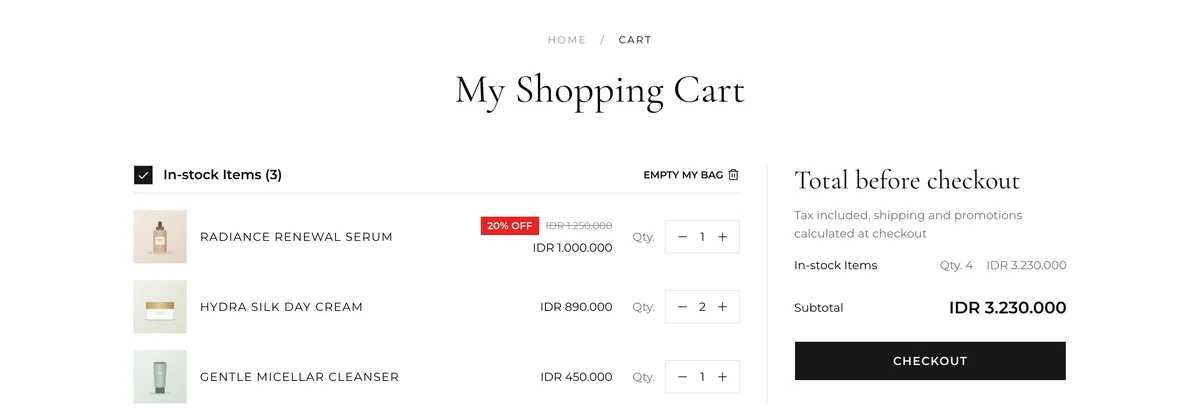
You don't need an account to shop at La Élume. As a guest, your cart lives in your browser, in localStorage. Each line is keyed by product, variant and whether it's a preorder, so the same serum in two sizes is two lines, serum:30ml:in-stock and serum:50ml:in-stock. Once you sign in, your cart lives on the server with your account. Either way, checkout takes it from there to a paid order.
The moment in between is the hard part. Say you add a few things as a guest, then decide to sign in before you check out. Your cart should still be there, and making that true, without trampling whatever your account cart already had, turned out to be one of the more interesting problems in this project.
Where did my cart go?
When you sign in, your account might already have a cart, started last week on your phone. Which one wins?
The rule I picked is that the server wins. If a product is already in your account cart, the guest line is skipped and the account keeps its quantity. Everything else gets added. My notes for it put the rule plainly: "the authoritative line totals and conflicts resolve to the server."
const mergeGuestCart = async (guestLines: GuestLine[]) => {
  const accountCart = await getAccountCart();
  let addedSomething = false;

  for (const line of guestLines) {
    const alreadyThere = accountCart.items.some(
      (item) => item.productId === line.productId
    );
    if (alreadyThere) {
      continue; // the server wins: the account keeps its quantity
    }
    await addToAccountCart(line.productId, line.quantity);
    addedSomething = true;
  }

  if (addedSomething) {
    await removeAppliedVoucher(); // the totals it was checked against just changed
  }
};
Around that loop, a few details keep the merge safe:
- It waits until the saved cart has finished loading from localStorage, so it never runs against a half-loaded cart.
- If anything gets added, the applied voucher is dropped, because the totals it was checked against have just changed.
- A guard stops a second merge from starting while the first is still running, such as the second run React's StrictMode gives every effect in development.
- If fetching or adding fails, the merge stays quiet and keeps the guest cart. Anything that did reach the server is skipped next time, so trying again on the next load is safe.
Once you're signed in, the cart only talks to the server, and an impatient double tap on a button shouldn't add the same thing twice. Every cart edit is a TanStack Query A request that changes something on the server, like adding an item, as opposed to one that only reads., and they all share one mutation key. useIsMutating counts the ones running under that key, and a tap that lands while another edit is running is ignored:
const isBusy = useIsMutating({ mutationKey: ["cart"] }) > 0;

const addItem = (product: Product) => {
  if (isBusy) {
    return; // another cart edit is still running
  }
  addMutation.mutate(product);
};
From cart to paid
For members, checkout starts by making the account cart match what's on screen. Lines that only exist on the server are removed, missing ones are added, and quantities are corrected. Then the order is placed and the payment started, and members can use their wallet balance too.
Guests were supposed to work the same way. My original plan had them place an order and then start the payment in a second call. I dropped that second call. The guest checkout request carries the payment method, and its answer already includes the invoice link, so a guest checks out in one request instead of two.
Payment runs through Xendit. The payment page shows the invoice in an A frame that shows another website inside this page, here the payment provider's invoice. and checks the status every 5 seconds until it's paid, failed or expired. TanStack Query does the polling, with a refetchInterval that switches itself off once the payment is settled:
useQuery({
  ...paymentStatusQuery(orderId),
  refetchInterval: (query) => (isSettled(query.state.data) ? false : 5000),
});
Guests have no account to check against, so their payment page asks about the order through a separate route made for guests.
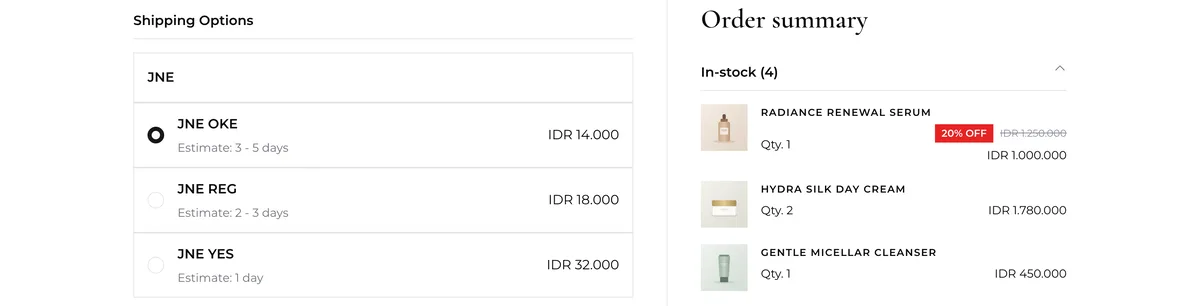
Shipping rates had a timing problem of their own. Rates are fetched as soon as you enter a postal code, and if you change it, the older request can still answer last. Type 12190, fix it to 12910, and the rates for 12190 could arrive second and win. So every request is numbered, and an answer to an old number is ignored:
const latestRequest = useRef(0);

const loadRates = async (postalCode: string) => {
  const request = latestRequest.current + 1;
  latestRequest.current = request;

  const rates = await fetchShippingRates(postalCode);
  if (request !== latestRequest.current) {
    return; // a newer postal code has been entered since
  }
  setRates(rates);
};
Any change to the cart also clears the applied voucher, so a discount never sits on a cart it wasn't checked against.